Setting up RSS in IE 7
First, click on the orange RSS symbol.

Click on the orange RSS symbol.
Next, you’ll see a page with all the current content, plus this yellow box. Click on “Subscribe to this feed”.
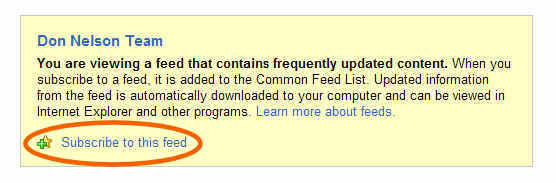
Click on "Subscribe to this feed".
When you do, you’ll see this new box – click the “Subscribe” button.
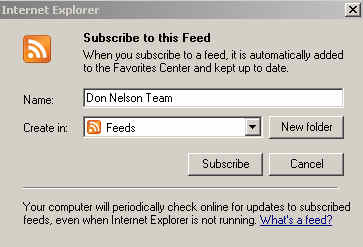
Click the "Subscribe" button.
Contratulations – it worked!
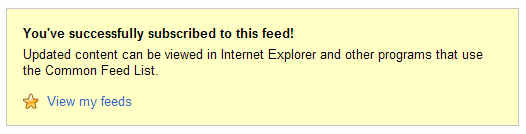
Congrats!
Finally, when you click on “View my feeds”, you’ll see something like this. (Click on the image for a larger view.)
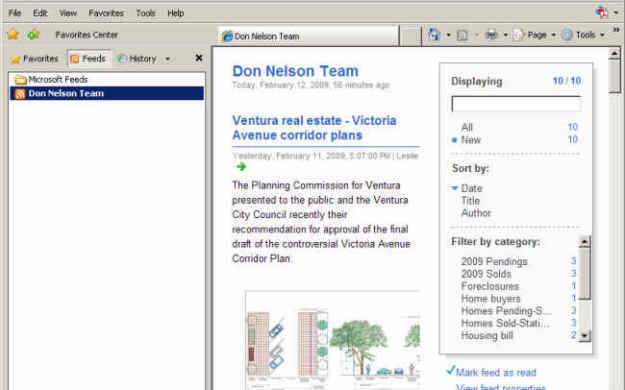
Manage all your RSS feeds in the side panel.
You may need to “tweak” your browser to see the side panel. Go to Tools, select Toolbars, the Feeds. There you go!